
QR codes
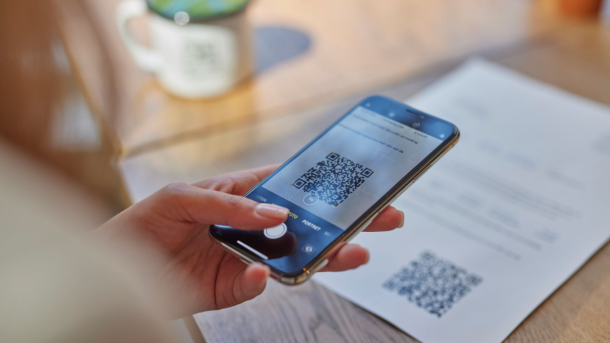
Be careful when paying with QR codes!
- Only scan if you know who the sender is; be extra alert with codes in public spaces (on parking meters or charging stations), on paper invoices, and in emails.
- Logos offer no guarantee; anyone can put any logo in any QR code.
- First scan a QR code with the logo of a bank or payment service using the official app of that bank or payment service; it can usually recognize and block fake codes.
- After scanning for a payment, always check: the web address or app you are redirected to, the amount, the recipient’s details, and the description.
Types of QR codes for payment
1) Generic QR code (with web address)
A generic QR code can redirect you to the payment page of an online store or to the online store’s app. There you can see what and how much you are paying and choose your payment method (e.g., iDEAL, payment card, or PayPal).
Scanning
- With a generic QR app or directly with your smartphone’s camera; a web address will appear on the screen that you can click on.
Safe use
- Check the web address and verify the order and amount; you can also check the QR code with the CheckJeLinkje app(opens in new window) .
- Beware of fake websites that resemble those of your bank or a well-known organization and ask for your bank’s access codes.
2) QR code from a mobile payment service (such as iDEAL, a bank, PayPal, or Tikkie)
These QR codes have a recognizable logo from the bank or payment service. The official app of the payment service can usually recognize and block fake codes.
Use
- Business: on payment pages, invoices, cash register screens, and in emails.
- Private: for peer-to-peer payments (show the QR code on your phone; the other person scans and pays).
Scanning
- Preferably with the official app of the relevant bank or payment service.
- iDEAL QR can be scanned securely with your banking app.
Safe use
- Scan with the official app of the payment service or with your banking app (for iDEAL QR).
- The official app of the payment service or bank recognizes and blocks fake codes.
- Always check: amount, recipient, and description.
3) QR code for a European transfer
The European Payments Council (EPC) defined an (outdated) standard for including amount, IBAN, recipient’s name, and description in a QR code.

Scanning
- With the banking app of some Dutch banks; the transfer is prepared in the banking app and you must approve it.
- With a generic QR scanner, you often only see plain text.
Safe use
- Check all payment details before approval. Do you have to pay? Is the amount correct? Are the IBAN and the name of the recipient correct?
- Anyone can generate a valid EPC QR code online, including fraudsters. So check it just as critically as you would an invoice, email, or WhatsApp message with a request-to-pay.
4) QR code for internet banking (bank-specific)
When internet banking on a desktop or laptop, banks sometimes display their own QR code. You scan it with the banking app on your smartphone and then approve the transaction.
Scanning
- Only with the official app of your bank.
Safe use
- Only scan this QR code on a web page of your own bank; check the web address.
- Only scan the code with your bank’s banking app.
- Read carefully what your banking app asks you to do after scanning this QR code; is it correct?
- Never scan a QR code from someone who owes you money.
Summary: safe scanning in 5 checks
- Know who the QR code is from.
- Use the official app (from your bank or payment service) where possible.
- Check the web address after scanning a generic QR code.
- When making a payment, always check the amount, recipient, and description.
- If in doubt, stop and contact the sender or your bank.
This content is available after accepting the marketing cookies.
